Task 14 - Extend the pipeline with automated tests (Optional)
Estimated Time to Complete: ~15 minutes
In Task 13 you ran a CI/CD pipeline with validate, plan, and deploy stages. In this task you'll extend it with a test stage that automatically validates deployments after they're applied - the same thing you ran manually in Task 11, now on every merge.
What you'll learn
By the end of this task you will have:
- Edited
.gitlab-ci.ymlto add a newteststage betweendeployandnotify - Added a
test-integrationjob that runsnac-testagainst the live devices - Added a
test-idempotencyjob that runsterraform plan -detailed-exitcodeto catch configuration drift - Read the test results as JUnit reports attached to the pipeline
Test stage
Adding automated testing to your CI/CD pipeline ensures that:
- Configurations are correctly applied to devices
- The deployment is idempotent (running it again produces no changes)
- Any issues are detected immediately after deployment
You'll add two test jobs:
test-integration- Runsnac-testto verify configurations match expected statetest-idempotency- Runsterraform planagain to confirm no drift
Step 1: Open pipeline definition file
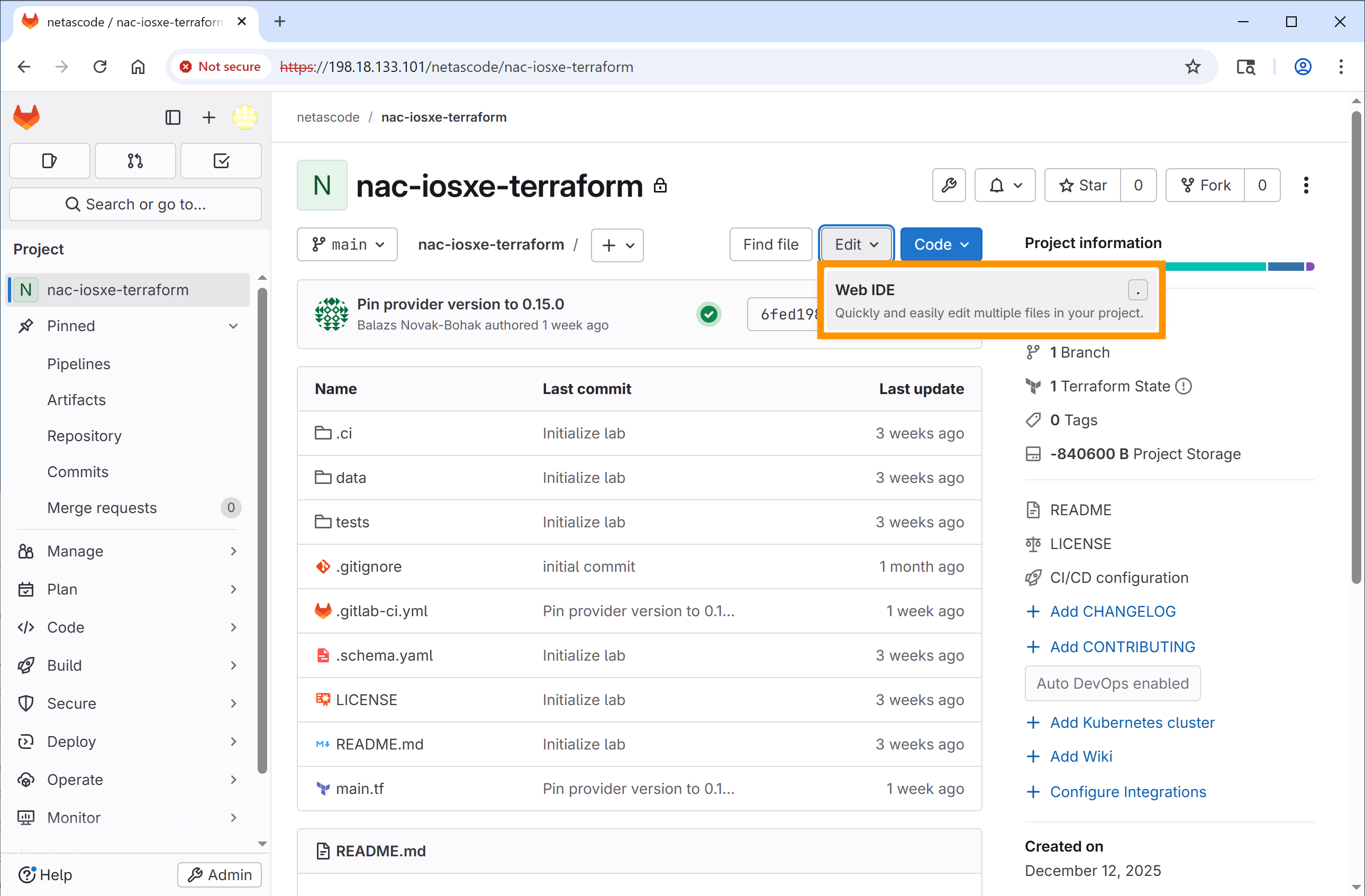
How to Open Web IDE
- In Chrome inside your RDP session (Windows 10 VM), open GitLab in a new tab: https://198.18.133.101
- Navigate to the netascode/nac-iosxe-terraform project
- From the project page, click the Edit dropdown button (with a pencil icon)
- Select Web IDE
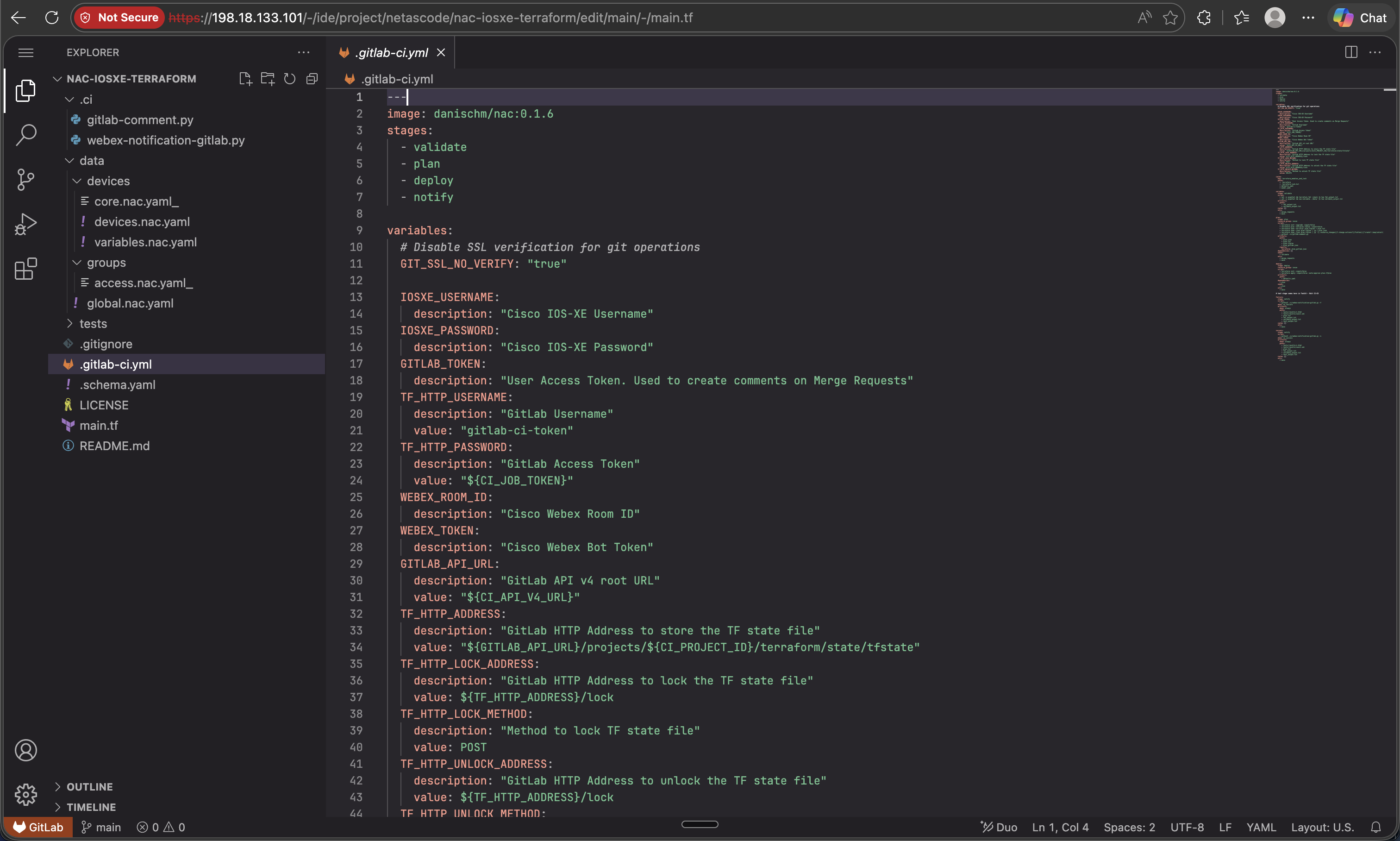
In the Web IDE, click on .gitlab-ci.yml in the Explorer panel to open it for editing.
Step 2: Add the test stage
Find the stages section at the top of the file. You need to add test between deploy and notify.
Find this section:
Add test so it looks like this:
Step 3: Add the test-integration job
After the deploy job section (around line 115), add the test-integration job. This job runs nac-test to verify your configurations.
Add this new job after the deploy: section:
test-integration:
  stage: test
  script:
    - echo "=== PWD and tree ==="; pwd; ls -la
    - echo "=== Inputs nac-test needs ==="; ls -la model.yaml defaults.yaml || true
    - echo "=== tests/ scaffolding ==="; ls -la tests/ tests/templates tests/filters || true
    - echo "=== nac-test version ==="; nac-test --version || true
    - mkdir -p tests/results
    - set -o pipefail && nac-test --data ./model.yaml --data ./defaults.yaml --templates ./tests/templates --filters ./tests/filters --output ./tests/results |& tee test_output.txt
  after_script:
    - echo "=== tests/results contents (post-run) ==="; ls -la tests/results || true
    - echo "=== last 50 lines of test_output.txt ==="; tail -n 50 test_output.txt || true
  artifacts:
    when: always
    paths:
      - tests/results/
      - test_output.txt
    reports:
      junit: tests/results/xunit.xml
  dependencies:
    - deploy
  needs:
    - deploy
  only:
    - main
What this job does:
- The pre-
nac-testecho/lslines print the working directory, the data files (model.yaml,defaults.yaml), and thetests/scaffolding so a missing input is obvious in the log instead of being inferred from a downstream failure. mkdir -p tests/resultsguarantees the output directory exists beforenac-testwrites to it, so the artifact glob never trips on a missing parent.script: Runsnac-testwith your data files and test templates.after_script: Always runs (even on failure) and prints the contents oftests/results/plus the tail oftest_output.txt, so you see whatnac-testactually produced.artifacts: Uploads the entiretests/results/directory (HTML reports, log, output.xml, xunit.xml) so a partial run is still inspectable.reports: junit: Integrates test results into GitLab's test reporting UI.dependenciesandneeds: Ensure this job runs afterdeploycompletes.only: main: Only runs on the main branch (not merge requests).
Reading the log when this job fails
Scroll to the lines just above Uploading artifacts ... in the job log:
- A missing
model.yamlordefaults.yamlin the firstlsblock means the file wasn't passed to this job - check thedeployjob's artifacts and the top-levelcache:block. - A missing
tests/templatesortests/filtersmeans thetests/scaffolding isn't committed onmain. Suite '...' contains no tests or tasksfrom Robot Framework means the templates rendered an empty suite - usually because no input data matched (for example,data/groups/access.nac.yaml_was never renamed in Step 5, somodel.yamlhas no ACLs to test).
Step 4: Add the test-idempotency job
Add another test job that verifies idempotency - running Terraform again should show no changes if the deployment was successful.
Add this job right after the test-integration: job block:
test-idempotency:
  stage: test
  resource_group: iosxe
  script:
    - terraform init -input=false
    - terraform plan -input=false -detailed-exitcode
  dependencies:
    - deploy
  needs:
    - deploy
  only:
    - main
In the end, your test stage section should look like this:
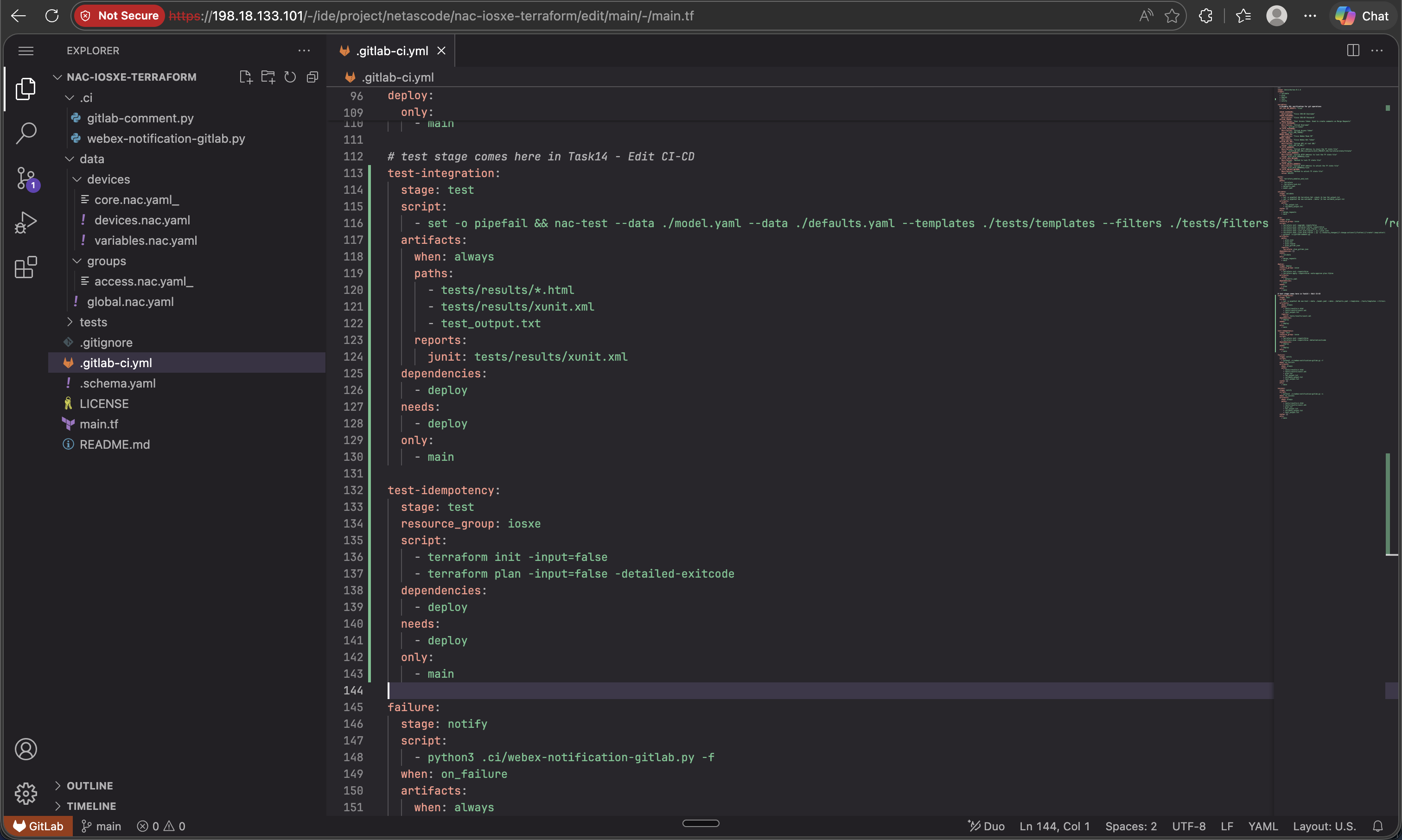
What the test-idempotency job does:
terraform plan -detailed-exitcode: Returns exit code 2 if there are changes, failing the jobresource_group: iosxe: Prevents concurrent access to devices- If this job passes, it confirms your deployment is idempotent
Complete Pipeline Reference
You can refer to Appendix I for the complete .gitlab-ci.yml file with all changes included.
Step 5: Add ACL configuration
Just as in Task 11 - Post-checks, you will add the ACL configuration to test the pipeline.
- In the Web IDE file explorer, navigate to
data/and renamegroups/access.nac.yaml_togroups/access.nac.yaml(remove the trailing underscore). - You may review the ACL configuration by opening the file - it defines the standard ACL named
AccessLayerACLthat you configured in Task 4 - Device group configuration. You will notice that additional entries have been added to the Access List.
Step 6: Commit your changes
After making all the changes:
- In your Web IDE, click on Source Control icon in the left sidebar (as you did in Task 13)
- You'll see the modified files listed:
.gitlab-ci.ymlanddata/groups/access.nac.yaml - Enter a commit message:
- Click Commit and push to 'main'
Step 7: Verify the pipeline
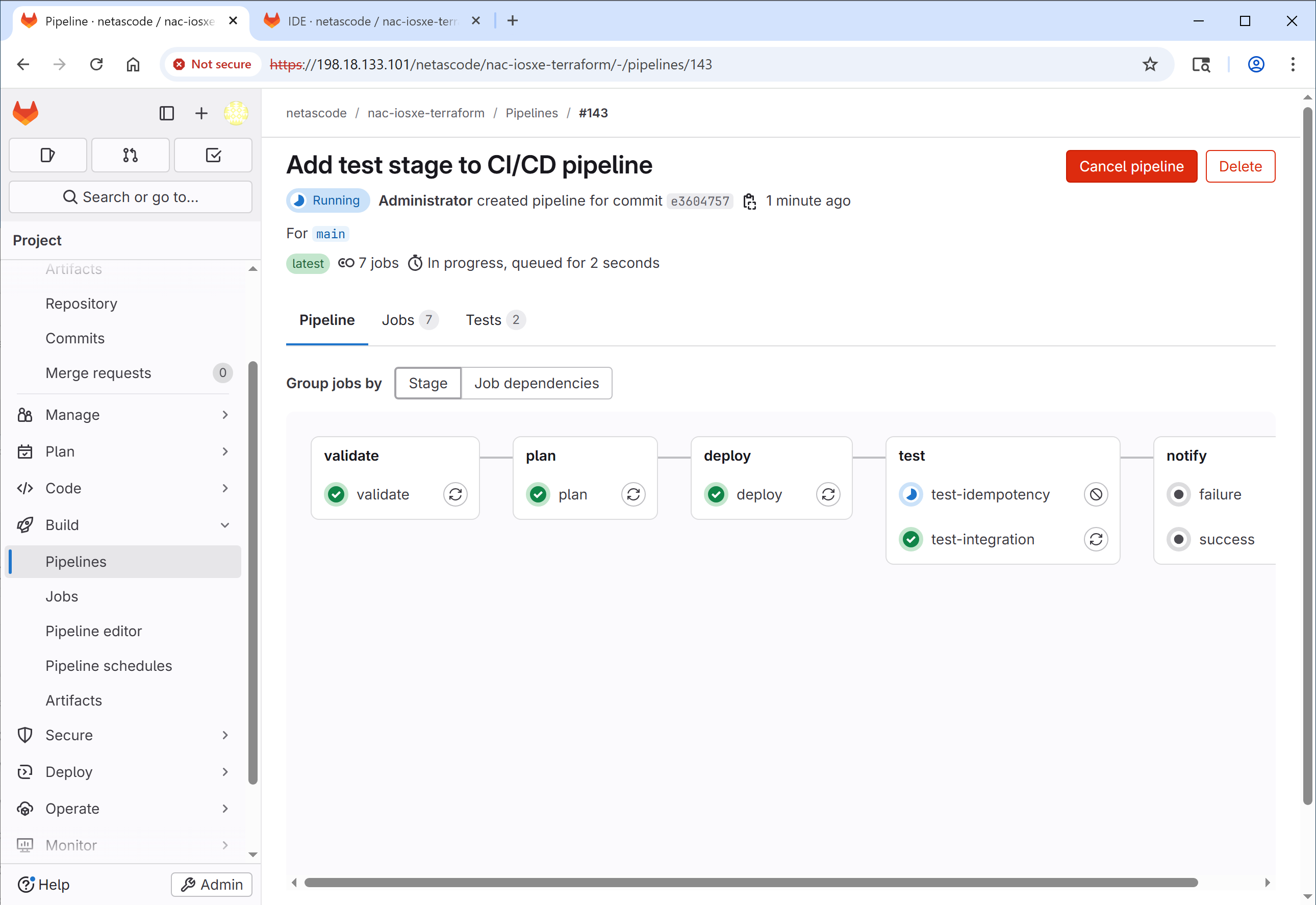
After committing, a new pipeline will automatically start. Navigate to Build → Pipelines and click on the pipeline showing running status to watch its progress.
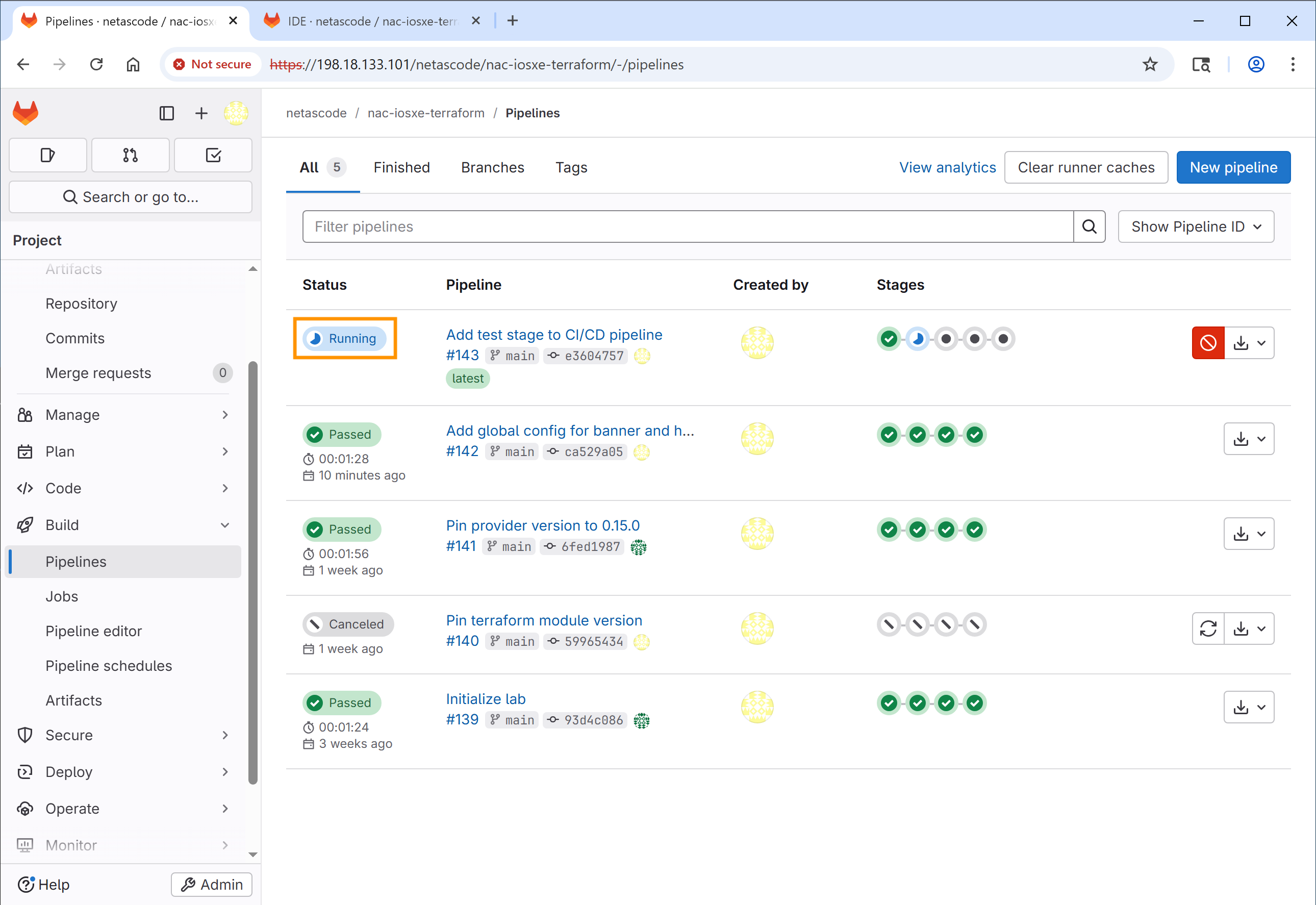
You should now see 5 stages in the pipeline:
- validate - schema and format validation. Usually <10s.
- plan - Terraform planning. ~30-60s.
- deploy - apply configuration. ~60-90s.
- test - integration (
nac-test) + idempotency (terraform plan -detailed-exitcode). ~45-60s - nac-test does the heaviest work here. - notify - success/failure notifications. <5s.
End-to-end with the test stage, expect about 3-4 minutes total. If test sits on running for more than 3 minutes, it's probably waiting on a device that didn't respond - click into the job to see which assertion timed out.
Step 8: Review test results
- After the pipeline completes, click on the
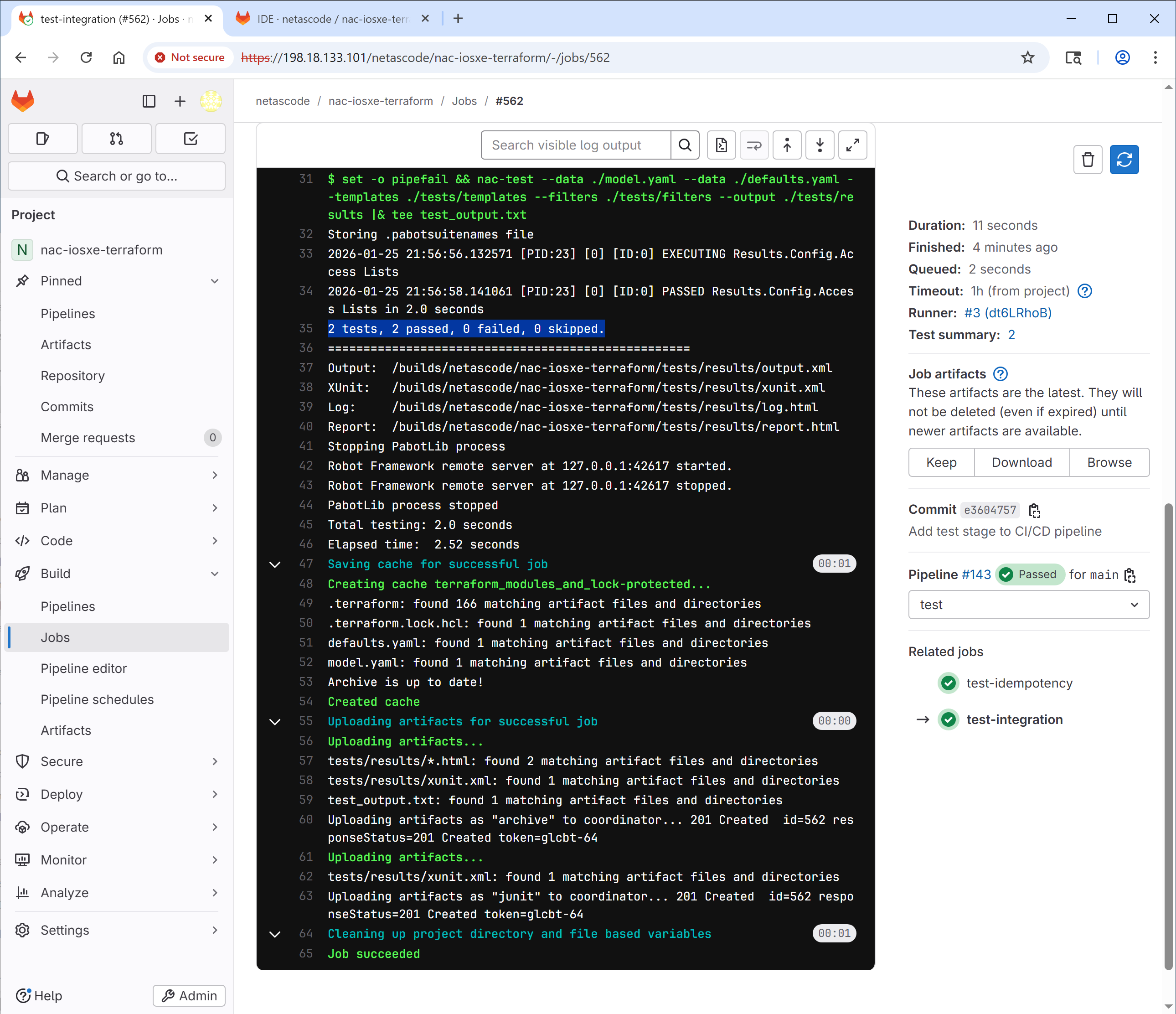
test-integrationjob to view the test results. - Review the logs to see the output of
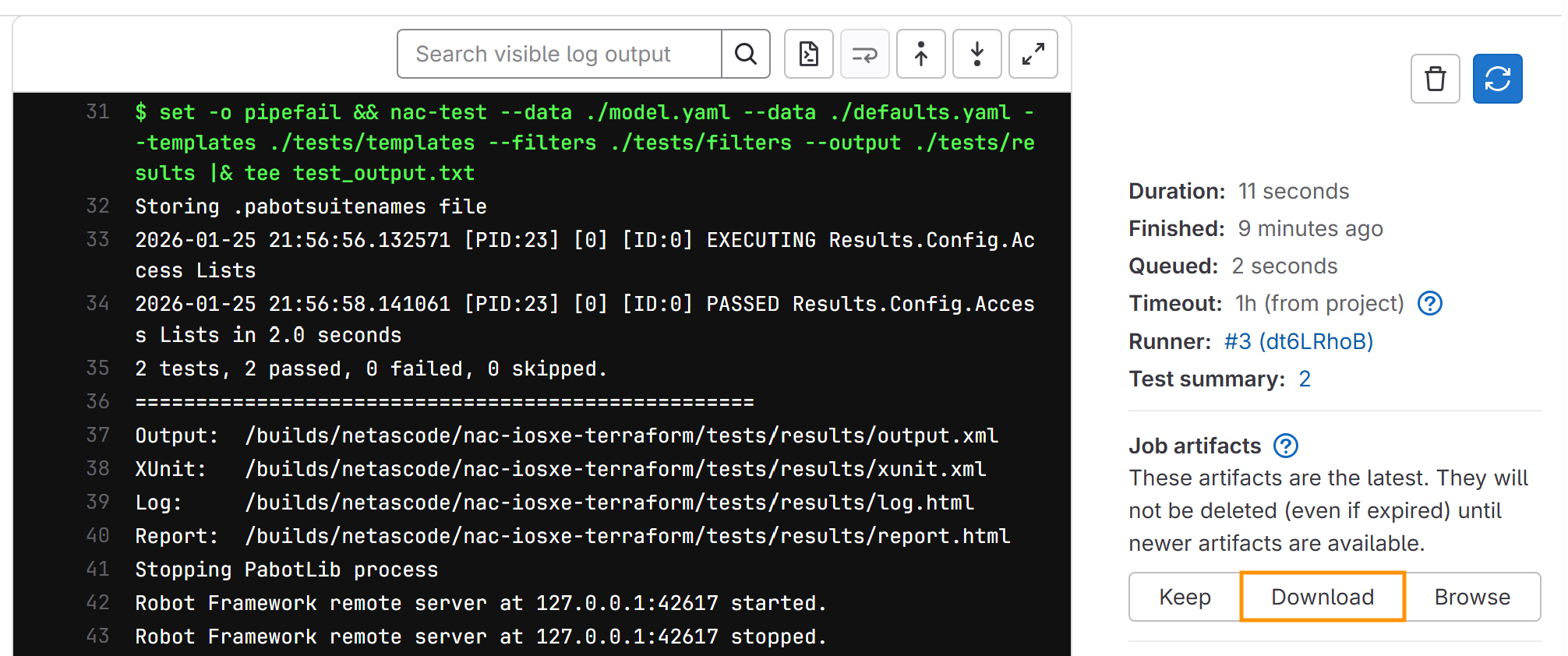
nac-test. You should see that all tests have passed successfully:2 tests, 2 passed, 0 failed, 0 skipped.
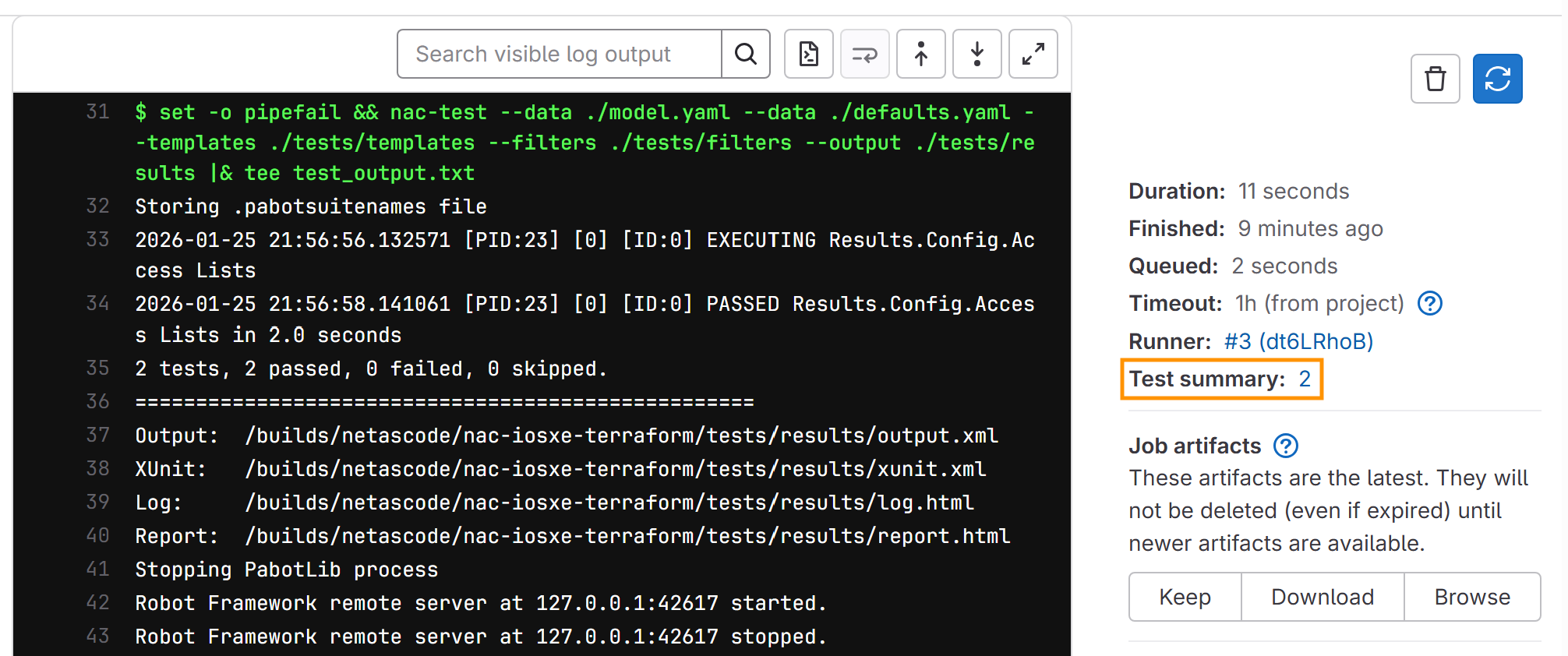
- Click on Test Summary on the right sidebar.
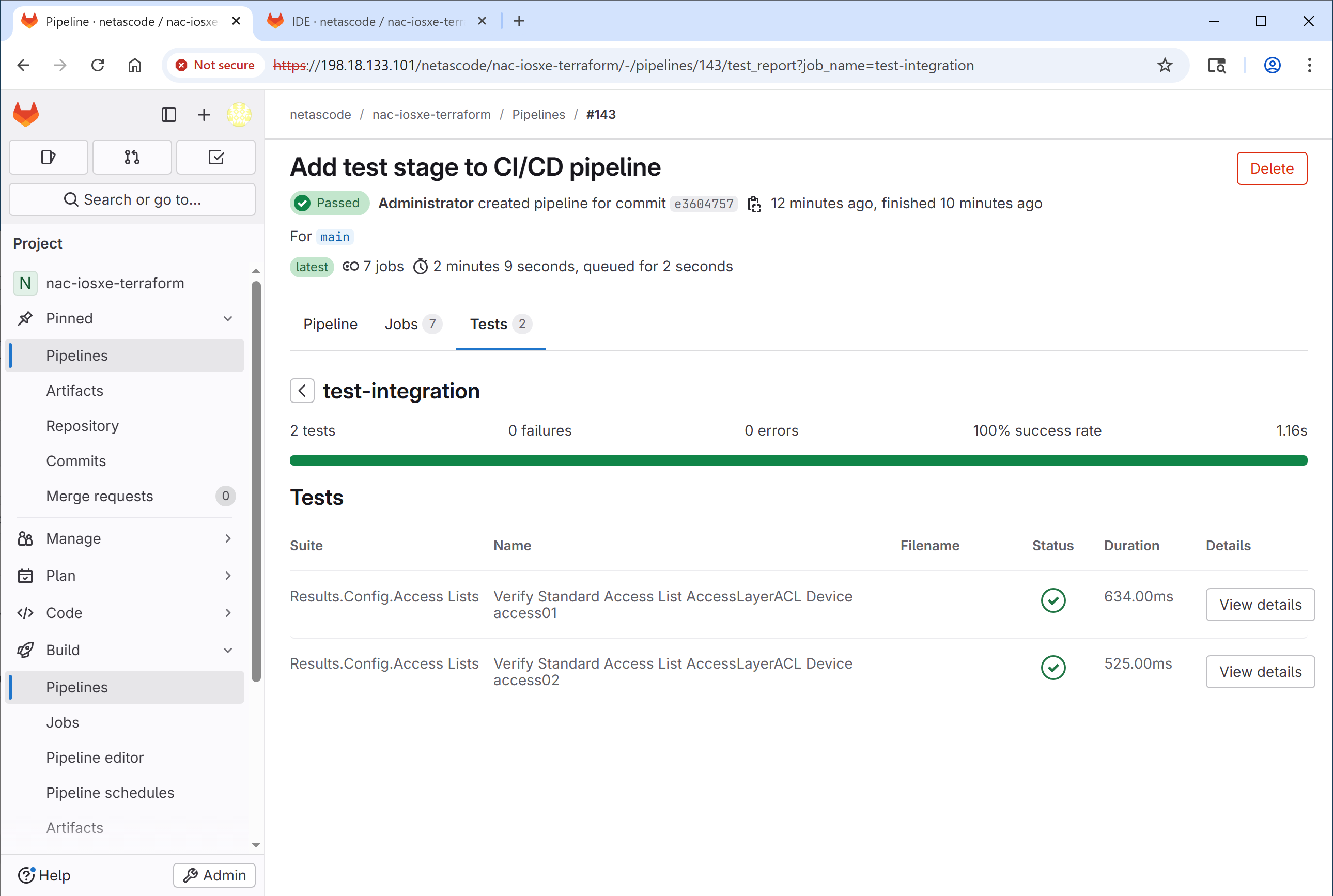
This is where GitLab displays the test results from the JUnit report. You should see a summary indicating all tests passed.
- Go back to the job page and find the Job artifacts section on the right sidebar. Click on Download to download the test report and log HTML files.
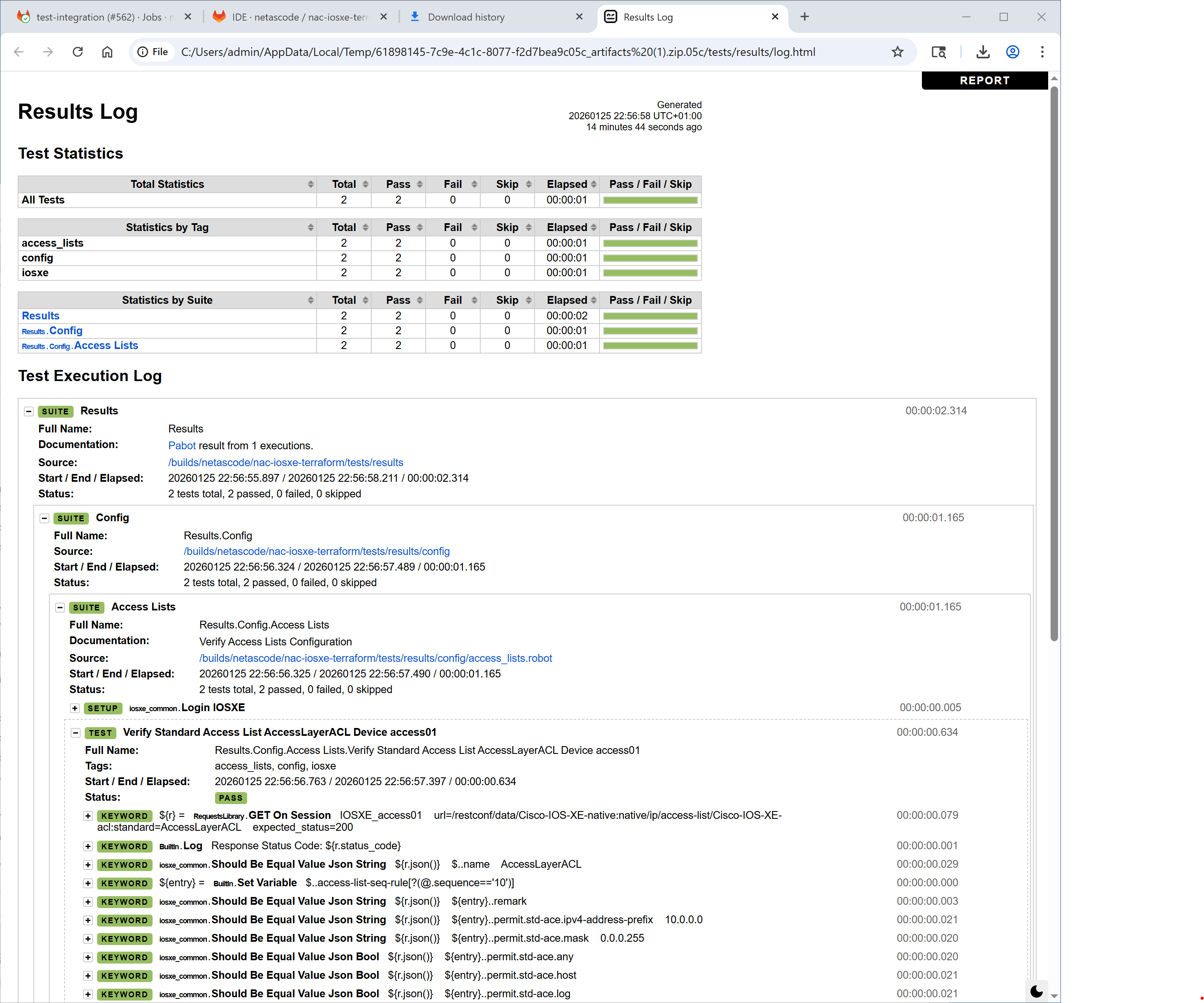
- Open and inspect the
report.htmlandlog.htmlfiles in your web browser. The report will show the same tests as in Task 11 - Post-checks, confirming the configurations were applied correctly.
What you've accomplished
- ✅ Added a test stage to the CI/CD pipeline
- ✅ Configured integration tests with
nac-test - ✅ Added idempotency verification
- ✅ Verified the enhanced pipeline runs successfully
What's next
Task 15 is the last optional task - it introduces the merge request
workflow with protected branches, so changes land on main only after
review. If you're at the end of your time box, jump to the
Conclusion.
← Previous: Task 13 - Run a CI/CD pipeline · Next: Task 15 - Merge request workflow