Task 05 - Single-device configuration
Estimated Time to Complete: ~15 minutes
In this task, you'll apply configuration to a single specific device rather than globally or to a group. This is the top of the precedence hierarchy - device-specific settings override anything a device might have inherited from its group or from the global defaults.
What you'll learn
By the end of this task you will have:
- Extended
devices/core.nac.yamlwith device-specific configuration (aLoopback0interface) - Internalized the Network as Code precedence hierarchy: Global < Device Group < Device
- Verified selective deployment - loopback exists on
core, absent fromborder/access01/access02
Device-specific configuration
Device-specific config is the right tool when a setting is meaningful only for one device. Typical use cases:
- Intrinsically unique values - loopback interfaces, router IDs, management IPs, OSPF/BGP/MPLS identifiers - every device needs its own value.
- Overrides - one device needs to diverge from what its group or the global default says (a different banner on a lab device, a stricter ACL on the border router, etc.).
- Special-purpose devices - a single out-of-band management switch that doesn't fit any group.
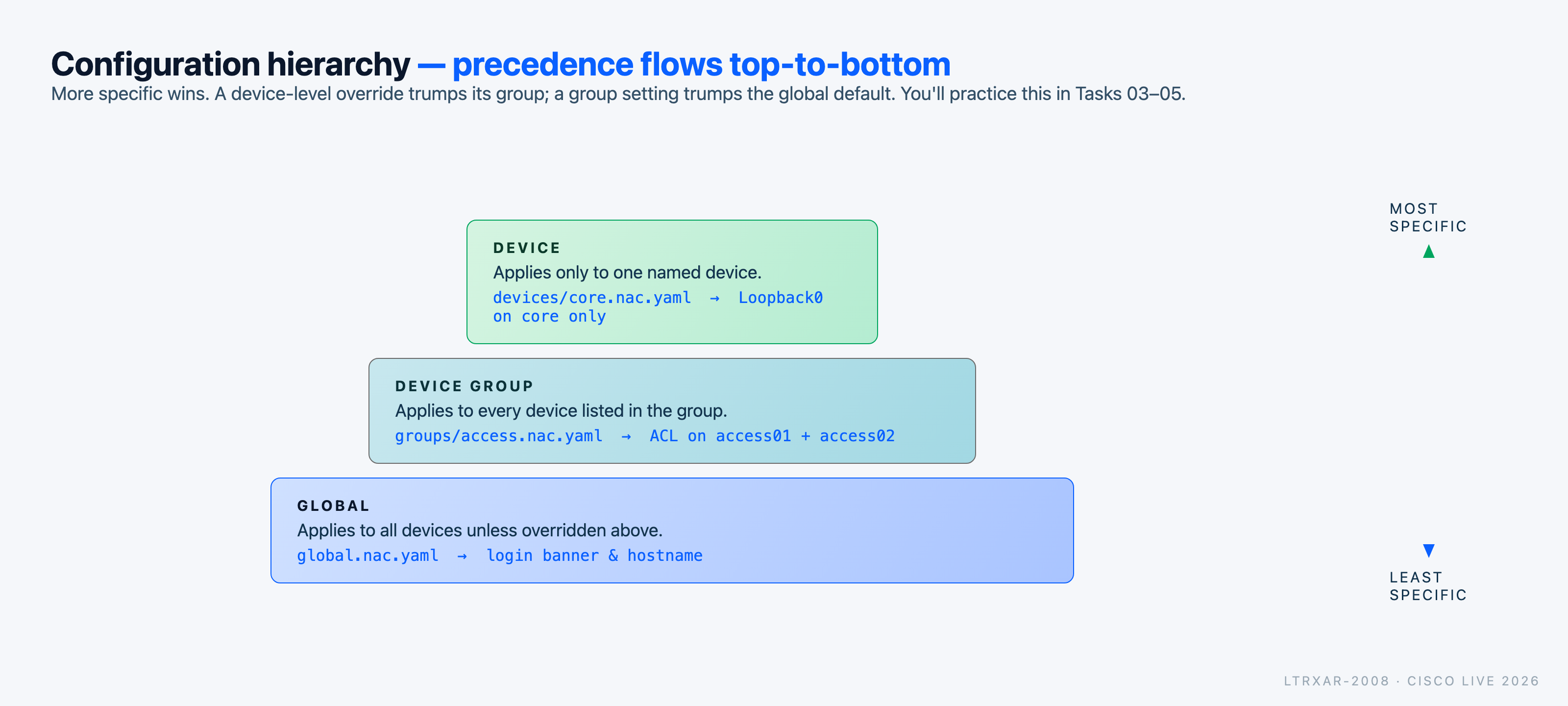
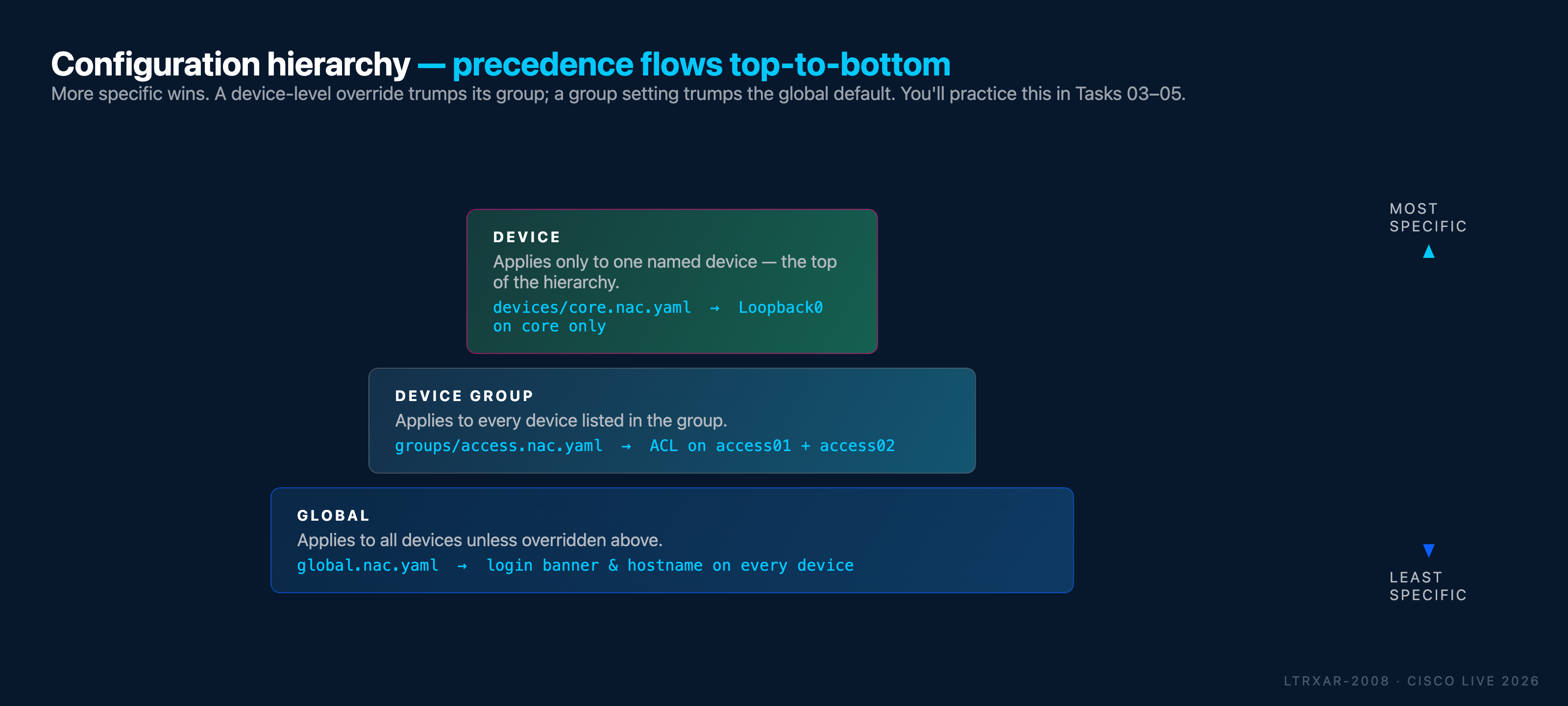
Precedence hierarchy (reminder):
- Global (lowest precedence) - organization-wide defaults ← Task 03
- Device group (medium) - role- or location-specific settings ← Task 04
- Device (highest) - the specific-device override you're adding now ← this task
Use case: Loopback0 on the core switch
core is acting as the routing core of the lab topology. In any routed network, every device needs its own unique loopback interface for router IDs (OSPF, BGP, MPLS-LDP) and for policies that key on a stable IP. That's the textbook "single-device configuration" use case - and a cleaner fit than, say, NTP or syslog pointers, which every device in the network would typically need.
You'll configure core with:
Loopback0- IP198.51.100.10/32(RFC 5737 documentation range), described as "Router-ID loopback"
Only core will receive this. The other three devices (border, access01, access02) will be untouched.
Step 1: Add device-specific configuration
You already created a per-device file for core in Task 02 - you'll extend it now by adding a configuration: block. The file currently registers core with Network as Code; adding configuration: tells Network as Code what to actually push to that specific device.
Open data/devices/core.nac.yaml in VS Code and replace its contents with:
---
iosxe:
  devices:
    - name: core
      host: 198.18.130.10
      configuration:
        interfaces:
          loopbacks:
            - id: 0
              description: "Router-ID loopback"
              ipv4:
                address: 198.51.100.10
                address_mask: 255.255.255.255
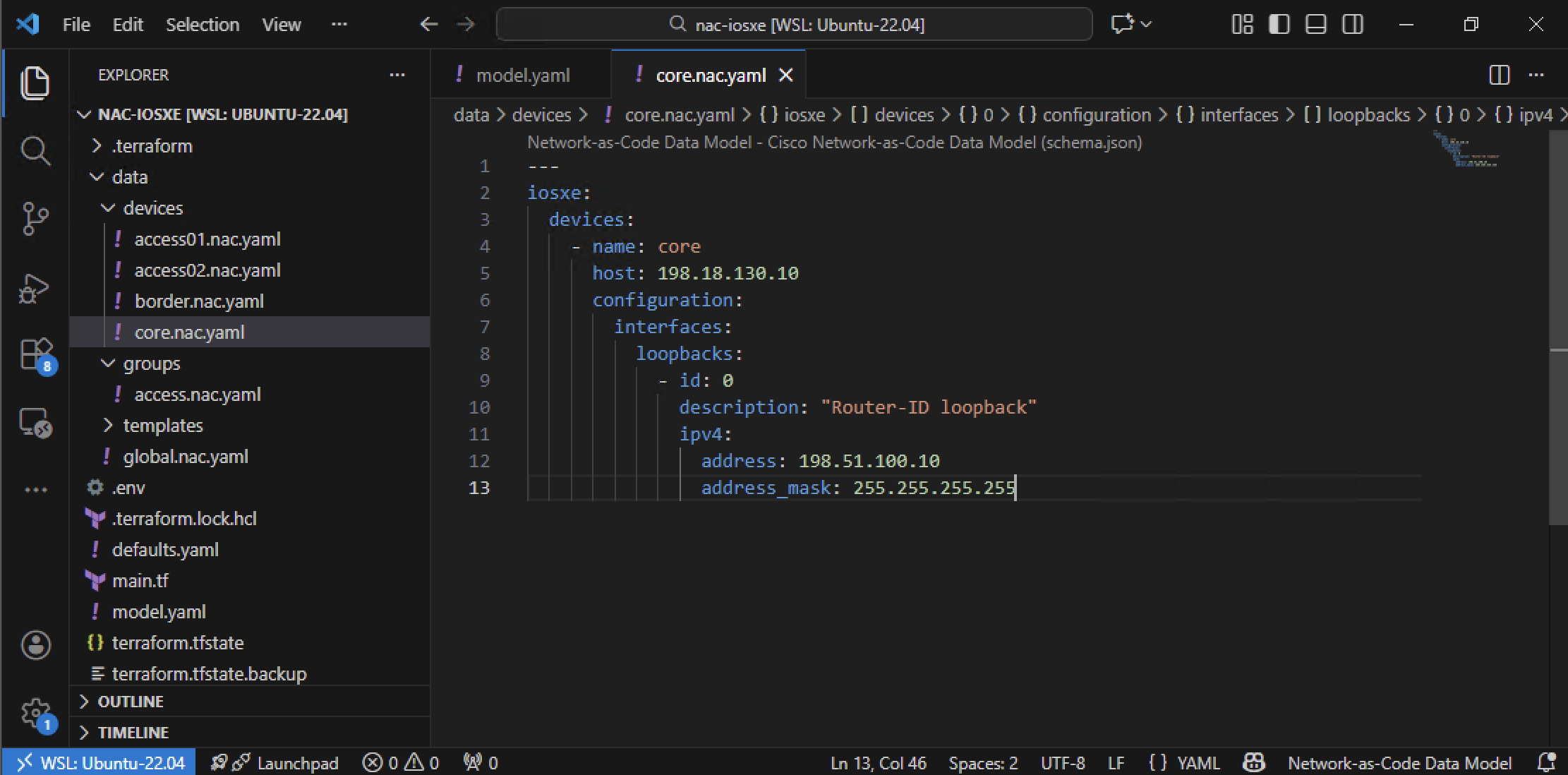
Configuration breakdown
Device section:
devices:- the top-level device list. Every per-device file contributes exactly one entry here.name: core- unique device identifier. Network as Code matches this against the samenamein other files (global, group, etc.) when it decides what to apply to which device.host: 198.18.130.10- carries over from Task 02. Same device, same IP, now with configuration attached.configuration:- everything under this key applies only tocore, no other device.
Loopback configuration:
interfaces.loopbacks- the IOS XE as Code data model path for virtual loopback interfaces.id: 0- createsLoopback0.description- free-form description, visible inshow interfaces.ipv4.address/ipv4.address_mask- IP (RFC 5737 documentation range) and mask./32is conventional for loopbacks used as router IDs.
Why a loopback here?
A loopback is the canonical single-device configuration. Every device in a routed network needs its own unique loopback for router-ID (OSPF, BGP, MPLS-LDP, etc.), so this example naturally belongs under device-specific config rather than global or group config. It's the pattern you'll use any time a setting is meaningful only in the context of one specific device.
What about NTP, syslog, DNS entries?
The lab also has ntp-server (198.18.129.11) and syslog-server (198.18.129.12) reachable from every device. Things like those - an ntp server pointer, a logging host - should typically be global (every device needs to know about them), not device-specific. That's a good exercise to try at home.
File organization
Your data/ folder now contains one file per configuration concern:
/home/cisco/nac-iosxe/
├── .env
├── main.tf
└── data/
    ├── devices/
    │   ├── core.nac.yaml       # Device: core  (registration + Loopback0)  ← this task
    │   ├── border.nac.yaml     # Device: border (registration only, for now)
    │   ├── access01.nac.yaml   # Device: access01 (registration only)
    │   └── access02.nac.yaml   # Device: access02 (registration only)
    ├── groups/
    │   └── access.nac.yaml     # Group   - ACL for access switches        ← Task 04
    └── global.nac.yaml         # Global  - login banner                    ← Task 03
One concern per file
This is how the lab guide organizes things. In your own projects, organize however makes sense for your team - nac-validate (a tool for pre-change validation that we will cover in Task 10) and the Network as Code module don't care about file boundaries, only about the merged data model.
Step 2: Apply device-specific configuration
Open your WSL Ubuntu terminal and run the following steps:
Navigate to your project directory:
Optionally, preview the changes Terraform will make:
Apply the configuration:
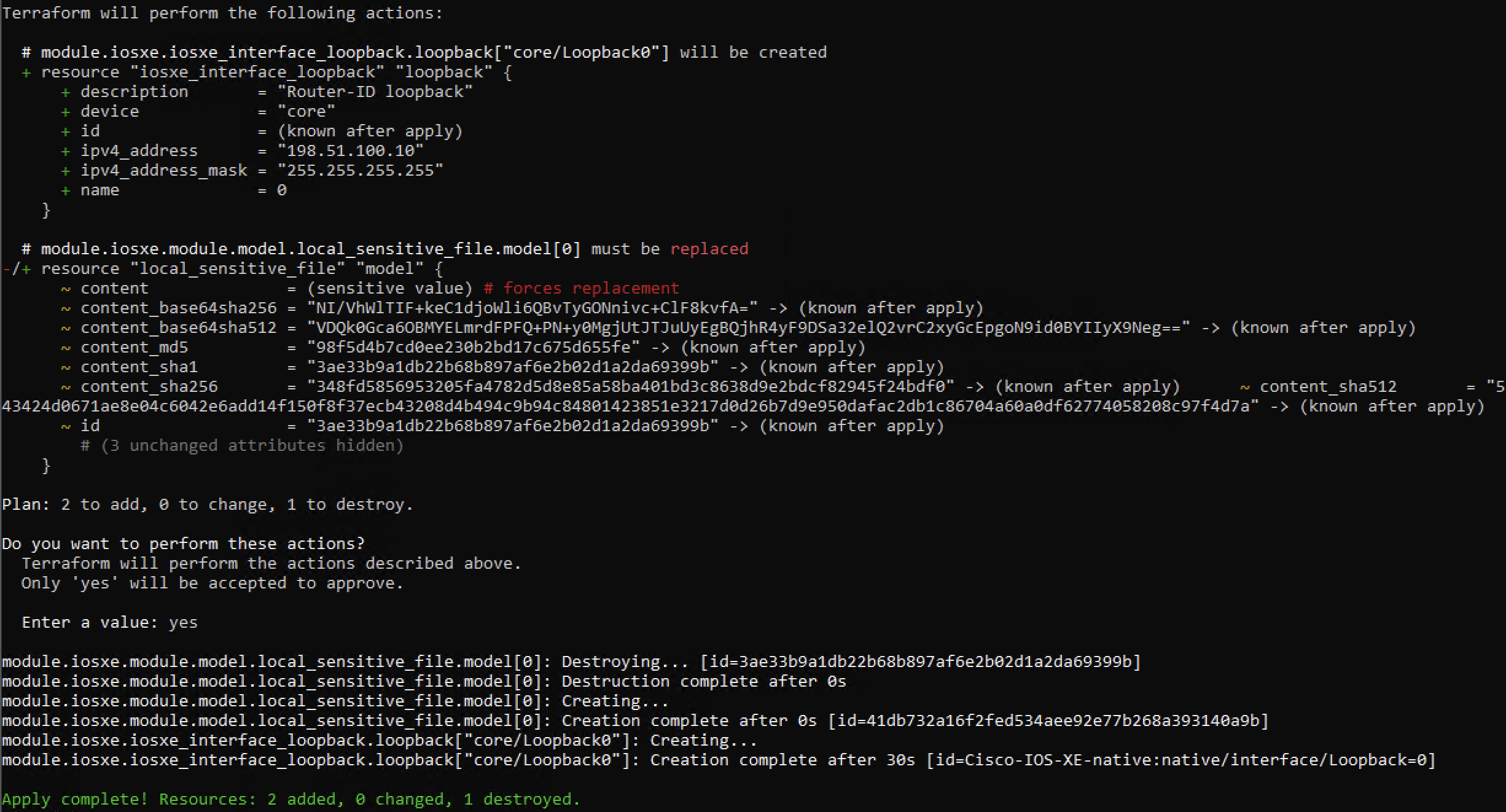
When prompted, type yes to confirm the deployment. Terraform will create Loopback0 on core only.
What to observe in the plan output:
- Terraform shows changes only for the core device
- No changes are proposed for border, access01, or access02
Step 3: Verify the device-specific configuration
After terraform apply finishes, verify that Loopback0 exists on core and only on core.
Verify on core (should have Loopback0)
- Open Solar-PuTTY and connect to core.
- Run the verification commands below.
Check the loopback interface:
core#show ip interface brief | include Loopback
Loopback0              198.51.100.10   YES NVRAM  up                    up
core#
Inspect the full interface:
core#show interfaces Loopback0
Loopback0 is up, line protocol is up
  Hardware is Loopback
  Description: Router-ID loopback
  Internet address is 198.51.100.10/32
  MTU 1514 bytes, BW 8000000 Kbit/sec, DLY 5000 usec,
  ...
You should see Loopback0 up/up with IP 198.51.100.10/32 and your description.
Verify on the other devices (should NOT have Loopback0)
Connect to border and run:
The command should return no output - confirming that Loopback0 was not configured on border. Repeat on access01 and access02 if you want to be thorough; same expected result.
Key observation
Loopback0 only appears on core because you declared it inside that device's per-device file. This is the essence of device-specific configuration: the YAML scope is the deployment scope.
Configuration hierarchy comparison
Now that you've completed Tasks 03, 04, and 05, you've experienced all three levels of the configuration hierarchy. Here's a summary:
| Level | Scope | Example | File |
|---|---|---|---|
| Global | All devices | Login banner | global.nac.yaml |
| Device Group | Subset of devices | Standard ACL | groups/access.nac.yaml |
| Device | Single device | Loopback0 |
devices/core.nac.yaml |
In case of conflicting settings, the higher precedence level overrides the lower. For example, you can have a global banner, and configure a different banner for a specific device.
When to use each configuration level
| Use Case | Recommended Level |
|---|---|
| Organization-wide standards (banners, NTP, logging) | Global |
| Role-based settings (ACLs for access layer, routing for core) | Device Group |
| Location-specific settings (site-specific config, Timezone) | Device Group |
| Intrinsically unique values (loopbacks, router-IDs, per-device IPs) | Device |
| Overriding group or global settings for one device | Device |
What you've accomplished
- ✅ Extended
devices/core.nac.yamlwith device-specific configuration (Loopback0) - ✅ Deployed a configuration that applies to exactly one device
- ✅ Verified the deployment is selective: loopback exists on
core, absent fromborder/access01/access02 - ✅ Internalized the configuration precedence hierarchy: Global < Device Group < Device
You've now worked with all three levels of the Network as Code hierarchy.
← Previous: Task 04 - Device group configuration · Next: Task 06 - Variables